
DUPR · HOW TO
How to create a DUPR account
A DUPR ID is required to sign up for Pickleball Korea. A DUPR account is free and takes four steps. You get an ID even without a rating (NR).
SIGN-UP STEPS (DUPR.COM)
1.Go to dupr.com → Sign up → enter your name, birth date and email.
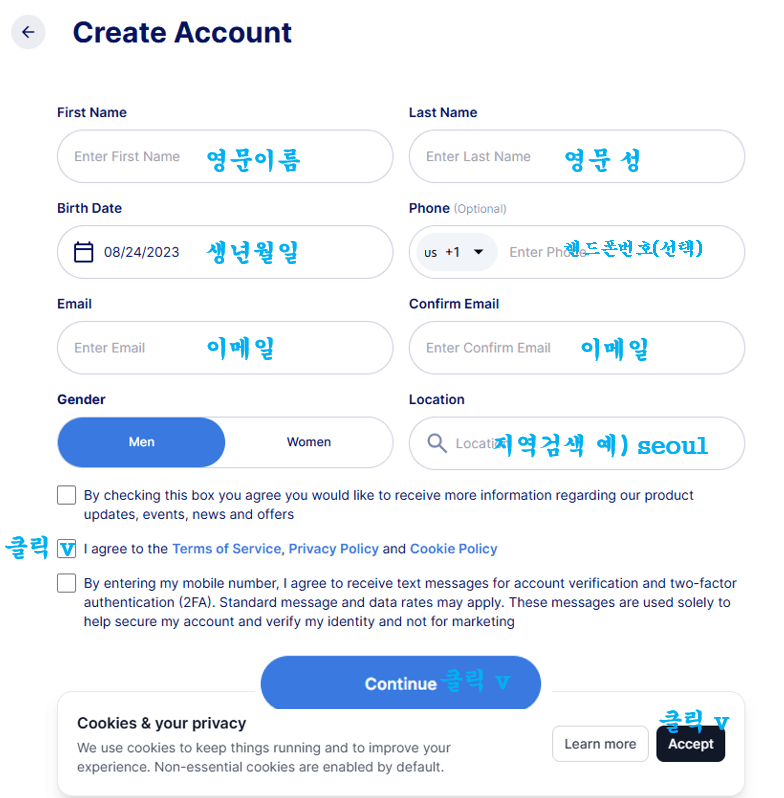
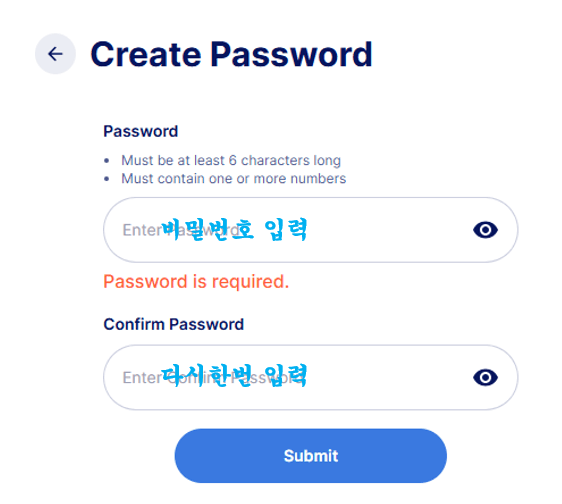
2.Agree to the terms and create a password (6+ characters incl. a number).
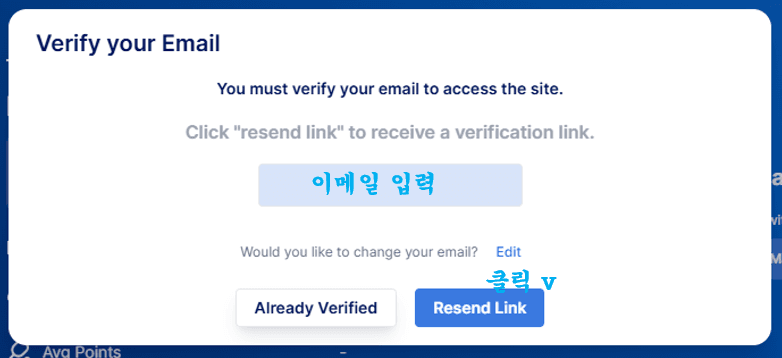
3.When the “Verify your Email” prompt appears, click Resend Link.
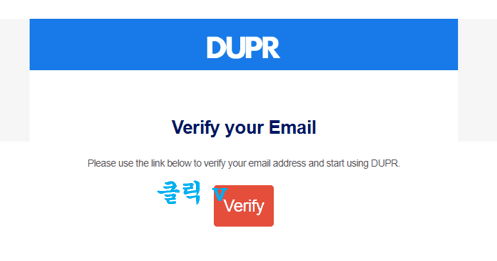
4.Open the DUPR email and click Verify. After logging in, copy your DUPR ID.
Once you have your ID
Sign in to the DUPR app or dashboard.dupr.com — your 6-character ID (e.g. Y57XJK) is on your profile. Enter it in the DUPR ID field when signing up for Pickleball Korea.